 CardTriage
Room for
what’s new.
Back from a trip with overlapping card backups? Find what you’ve already saved, see what’s new in this comparison, and choose what happens next.
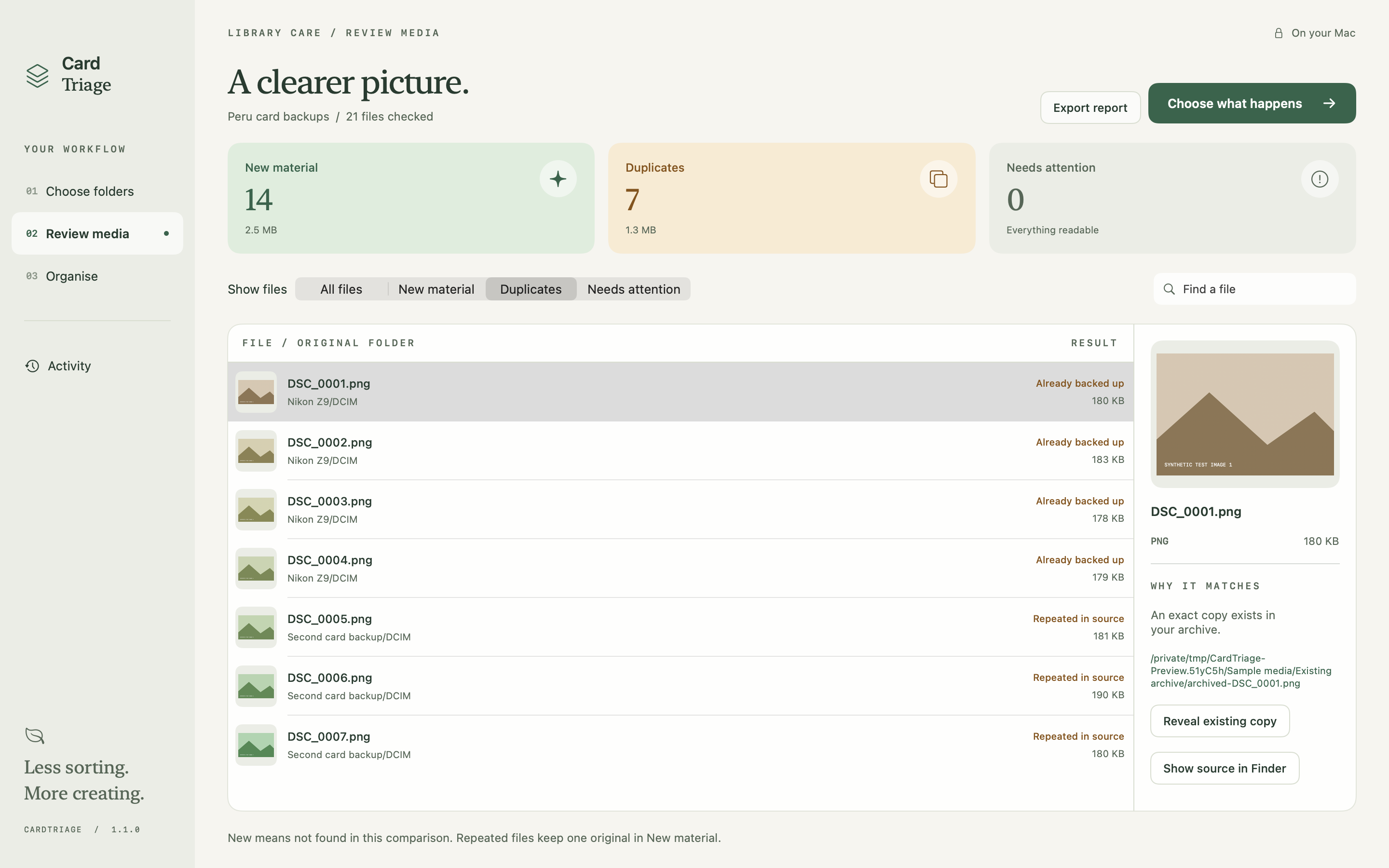
Your files.
Your decision.
A familiar filename isn’t proof of a backup. CardTriage compares file contents, then gives you the context and controls to sort deliberately.
- 01 / COMPARE
Pick the folders.
Choose the card backups you want to sort and, optionally, an independent archive to check against. You can also find repeats within the source without an archive.
- 02 / REVIEW
See the evidence.
Review new files and duplicates separately. See the path of the matching copy and check any files or warnings that need attention.
- 03 / ORGANISE
Choose what moves.
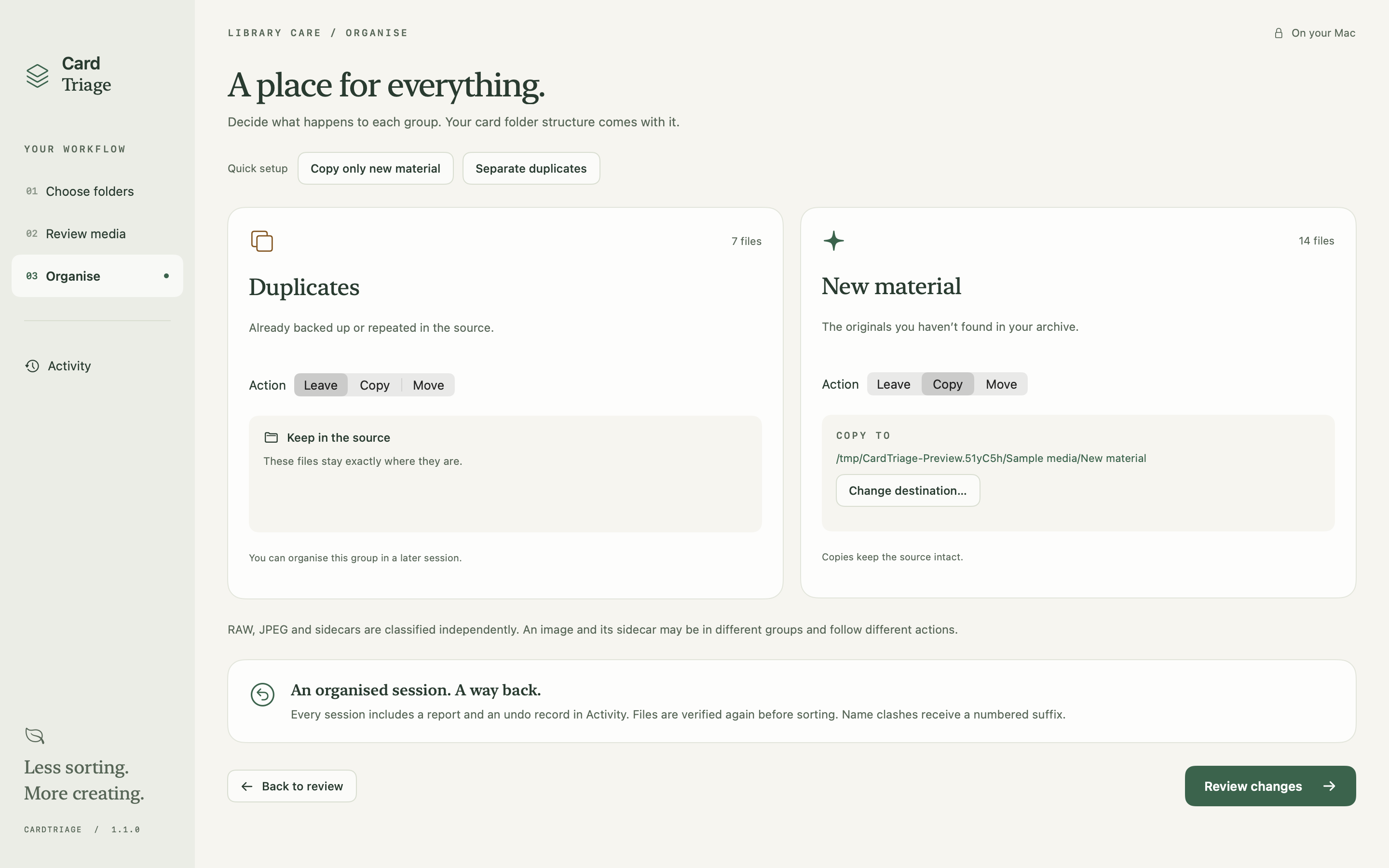
Leave, copy or move each group independently. Review the plan before applying it. Your folder structure comes with your files.
- 04 / KEEP A RECORD
A way back.
Activity keeps a session report and Undo record. Moved files can return to their original paths; copied files are retained recoverably.
Copy the new.
Leave the rest.
Start with Copy only new material. Put the files not found in your comparison into a separate destination, while keeping every source file in place.
- Scan first. Scanning does not move files.
- Review before applying. No silent duplicate purge.
- Keep the structure. Existing destination files are not replaced; name clashes receive a numbered suffix.
Your media stays
in your hands.
CardTriage processes files on your Mac and selected storage. The app does not upload your media and contains no advertising or analytics. No CardTriage account is required.
This website uses Cloudflare for delivery and security, which involves processing connection information such as your IP address. It has no advertising or analytics scripts. Contacting support is separate from using the app and shares the information you choose to submit.
Read the full privacy policyBefore you sort.
Which Macs does it work on?
CardTriage requires macOS 13 or later. The app is built for Apple Silicon and Intel Macs, with sandboxed access to the folders you select. Version 1.1.0 is in pre-release testing; a public App Store download is not available yet.
Can I stop a scan and come back later?
Yes. Stop the scan, then start it again when you are ready. Completed checksum work is cached locally and reused where appropriate; files still need to be inventoried and any changed files checked again. This is not a promise to resume at the exact file or percentage where you stopped.
Does it find similar-looking photographs?
No. CardTriage finds exact file-content matches. An edited photograph, a resized export and its original are different files. It does not choose your best shot.
What happens to RAW files and sidecars?
Regular, non-hidden files can be compared, including photos, RAW, video, audio and sidecars. Each file is classified independently: an image and its sidecar can belong to different groups and follow different actions. Preview support depends on the format.
Does a scan include everything in a folder?
Hidden items, symbolic links, package contents such as Photos libraries, and folders named media-triage are excluded. If your archive contains the source, the source is excluded from that archive comparison. Read any scan warnings before acting on the results.
What does Undo actually do?
Session Undo returns moved files to their original paths. Copies made by the session are moved to a hidden recovery folder at the destination, where they still occupy space. Activity shows recovery locations. Undo depends on the relevant files, drives and permissions remaining available, and it will not overwrite existing files.
Can I remove the empty folders afterwards?
Yes. Empty-folder cleanup is a separate, previewed action. It keeps the selected source root and skips folders containing media. It is not an automatic step and has no separate cleanup Undo.
Is CardTriage a backup tool?
No. It helps compare and organise folders; it does not establish that you have a complete backup. Keep an independent backup before moving files. Cloud-backed storage may download or sync files according to its own settings.
A little less uncertainty.
CardTriage will be free. Version 1.1.0 is in pre-release testing; download details will follow when it’s ready. Read the story behind CardTriage, or send a question or suggestion.